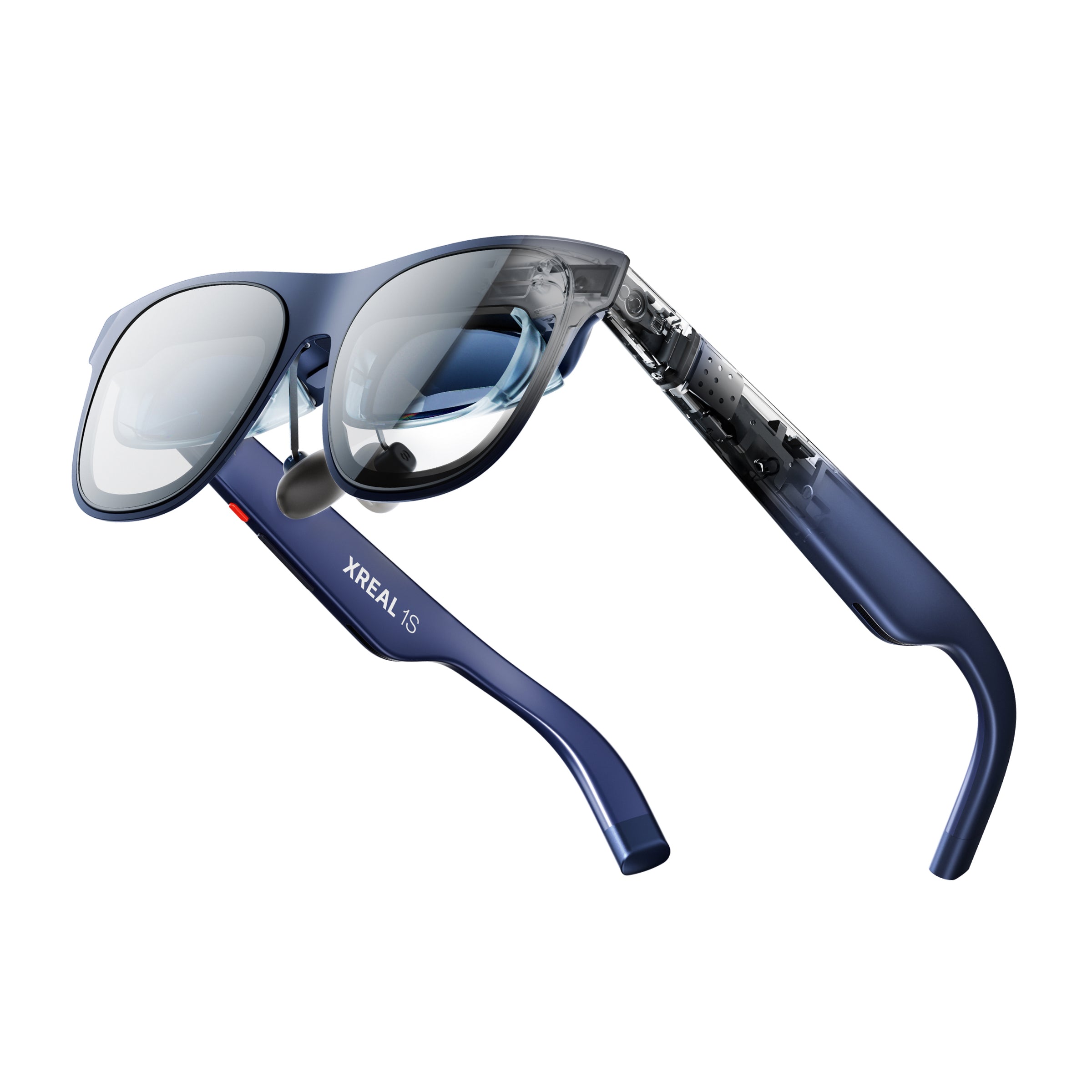
XREAL 1S - view 1
XREAL

XREAL 1S

Optometrist Perspective - UK Registered

Research-based review by Sean Higgins

A 1200p wearable screen with One-series spatial controls and a separate prescription insert route.

Prescription options — see assessment
AR Display Glasses
Portable Display Experience
Lightweight Wearable
  • 1200p display specification
  • On-glasses spatial screen controls
  • One/1S prescription lens route

Optical perspective · Published evidence and editorial interpretation

Sean’s optical assessment

By , GOC Registered Optometrist

My view

If you want a straightforward portable screen, the 1S belongs on your shortlist. My first question would be whether the whole picture is clear in your normal seated position. The extra pixels are welcome, but they cannot make up for a prescription that needs correcting or a frame that sits in the wrong place.

Optical interpretation

Resolution versus usable clarity

The 1S adds vertical resolution within a 52° viewing field, according to XREAL’s specification table. More pixels and a bigger advertised image are separate from how much of that image your eyes can use. For work, check text at the sides and bottom, not just a large central film image.[1]

Manufacturer evidence

IPD is not a focus control

The official supported IPD range is 59.5–70.5mm. The menu setting changes binocular alignment; it does not replace lenses for short-sightedness or astigmatism. XREAL notes a screen-size trade-off during adjustment, so make that change before judging whether the viewing field feels large enough.[2][3]

Independent test

A useful prescription test

TechRadar’s 1S reviewer found his fitted prescription carrier stayed securely in place. He also noted the visible extra lens layer from the side. This is useful evidence about that installation, not confirmation of every prescription, lens thickness or face shape.[4]

Optical interpretation

Practical fitting priorities

Try the glasses after the prescription insert is installed, because your lashes, bridge height and lens spacing all affect the final position. Check whether a comfortable nose-pad setting also keeps the entire display visible. This is entertainment and desktop-display hardware requiring a compatible source, not a general-purpose screen in ordinary everyday spectacles.[1]

Optical pros & cons

A summary of the evidence and optical interpretation above.

Reasons to consider it

  • 1200p display specification
  • On-glasses spatial screen controls
  • One/1S prescription lens route

Limitations to weigh up

  • Prescription correction is a separate purchase
  • Software IPD adjustment has limits
  • No full face seal against ambient light

Before choosing this pair

My fitting checklist

  1. Use the current One/1S insert specification.
  2. Check both eyes and all screen corners.
  3. Confirm your particular USB-C device outputs video.

Who I would shortlist it for

A user wanting a straightforward personal screen for seated media and occasional work.

Where I would be cautious

Someone expecting built-in myopia correction or independent AI-camera glasses.

Technical Specifications

Connectivity

Compatible USB-C video source required

Lenses

Electronic dimming; One/1S prescription insert

Display

1200p wearable display; 52° field of view

Research sources

The sources used for this assessment are linked below. Review dates and the exact model matter: software can change, and one frame’s fit does not establish another’s. Manufacturer information supports specifications and lens options; independent reviews describe the named tester’s experience. The prescription and fitting advice is my optical interpretation.

  1. Manufacturer

    [1] XREAL — One, One Pro and 1S specifications
  2. Manufacturer

    [2] XREAL — supported IPD ranges and software adjustment
  3. Manufacturer

    [3] XREAL — One/1S prescription lens option
  4. Independent test

    [4] TechRadar — Lance Ulanoff, XREAL 1S review
How the optical interpretation is formed

The fitting checklist is an editorial interpretation, not a report that this pair has been physically fitted to you. Relevant checks include the prescription, lens positioning, frame stability and intended task. ABDO’s visual-discomfort guidance explains these general dispensing considerations.

Blue-light filtering or display certification is not treated here as proof of symptom-free use. Cochrane’s review of blue-light filtering spectacle lenses found no established short-term advantage for computer-related visual fatigue. This evidence concerns spectacle filters, not a clinical test of this smart-glasses model.

Read our review methodology